 Let's Chat!
Let's Chat!
Let's Chat!
Redesigning the content consumption experience from package-centric to learner-centric — with clear progress tracking and intelligent recommendations.
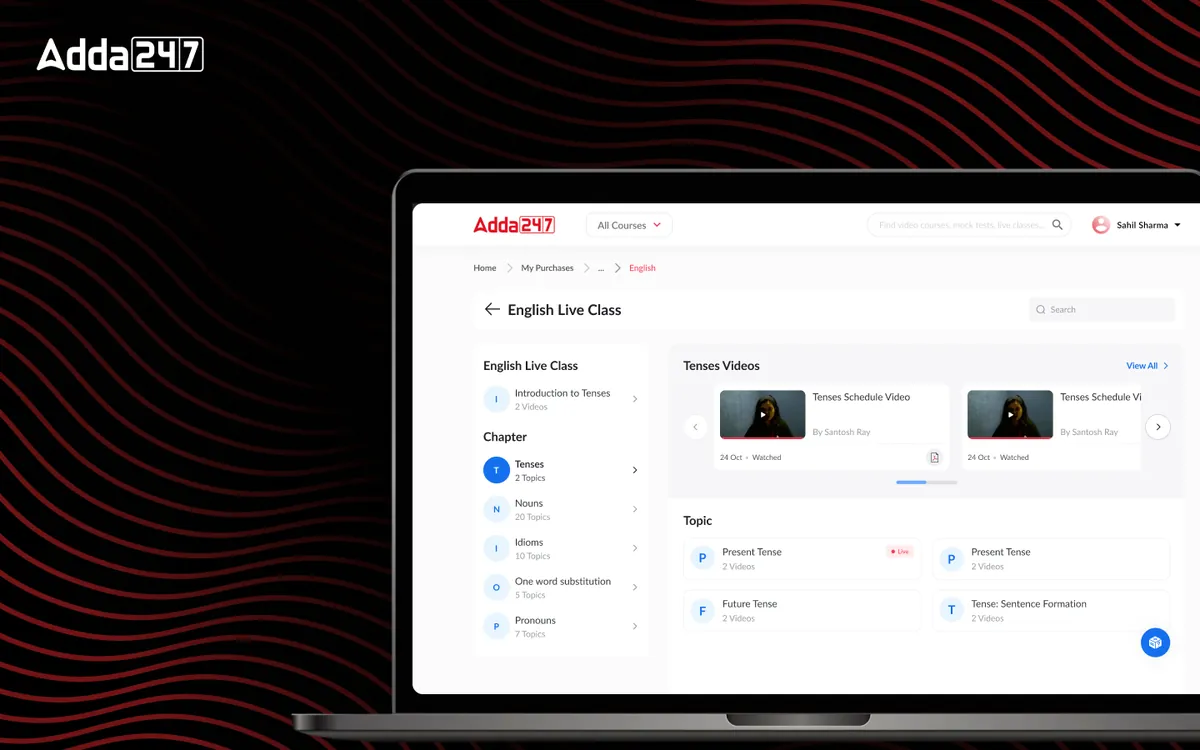
Adda 247 offered hundreds of content packages — test series, video courses, e-books, and live class bundles. But once students purchased content, finding and consuming it was a frustrating experience. The "My Content" section was organized by product SKU rather than by learning need, making it nearly impossible for students to build a coherent study plan from their purchases. We redesigned the entire content consumption experience to put the learner at the center, organizing content by subject, topic, and learning stage rather than purchase history.
Students purchased content packages but couldn't easily find or track what they had bought. A survey of 500 users revealed that 65% couldn't locate specific purchased content within the app. Content was organized by product — "SSC CGL Tier-1 Test Series," "Banking Maha Pack," "Railway Group D Video Course" — rather than by what students actually needed: "Quantitative Aptitude practice" or "Reasoning video lessons." This product-centric model made perfect sense from a sales perspective but was completely wrong for the learning experience.
Progress was completely invisible. Students had no way to see how much of their purchased content they had consumed, which subjects they had covered, or where gaps existed. Without this visibility, they couldn't make informed decisions about what to study next. They would repeatedly revisit topics they felt comfortable with while unconsciously avoiding areas where they were weak — the exact opposite of effective exam preparation strategy.
The lack of content discoverability also impacted business metrics. Students who couldn't find value in their purchases were less likely to renew subscriptions or buy additional packages. The content team was producing excellent material, but it was being buried under a poor organizational structure. Engagement data showed that students were consuming only 30% of their purchased content — a massive waste of both the student's investment and the company's content production effort.
We surveyed 500 users about their content discovery frustrations, finding that 65% couldn't locate purchased content and 78% wished they could see their overall progress across all purchases. We conducted card sorting exercises with 30 students to understand how they mentally organized study content — the universal model was subject > topic > content type (video/test/notes), not product package. We also analyzed content consumption data across 50,000 users to identify patterns: most students consumed content from multiple packages for the same subject, confirming that the package-based organization was fundamentally wrong.
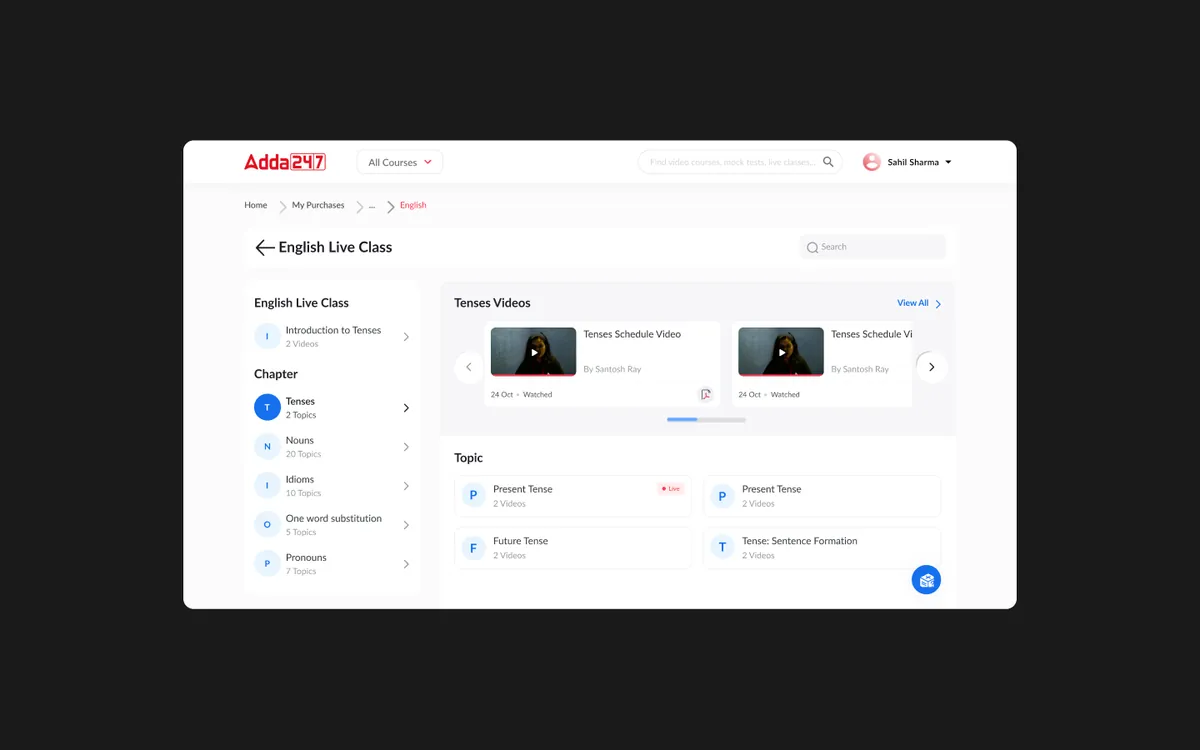
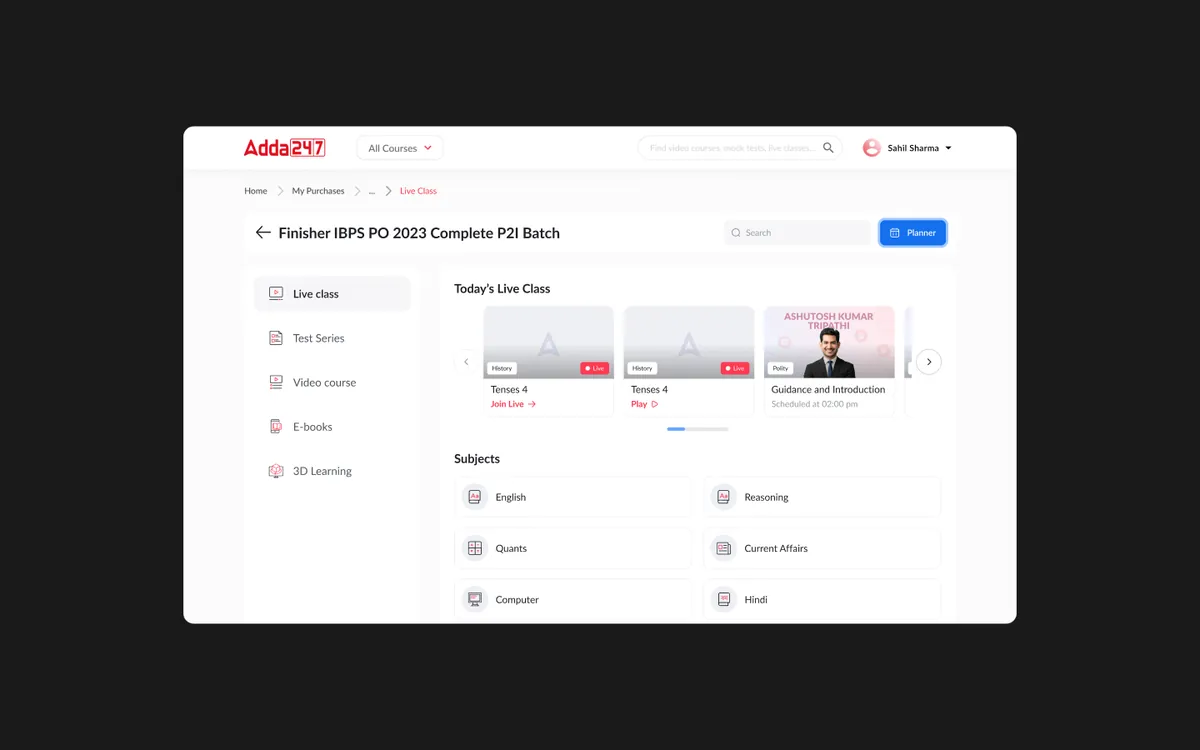
We redesigned the content model around subjects, topics, and learning stages instead of products. A student studying for SSC CGL would see their content organized as: Mathematics (with sub-topics like Algebra, Geometry, Number System), English (Reading Comprehension, Grammar, Vocabulary), Reasoning (Analogies, Series, Coding-Decoding), and General Knowledge. Within each topic, all relevant content — regardless of which package it came from — was unified. We also introduced three learning stages: Learn (videos, notes), Practice (topic-wise tests), and Test (full mock tests) — mapping to the natural study progression.
We built and tested a personal dashboard prototype showing progress, bookmarks, and recommendations. The dashboard featured a visual progress map — a grid showing subjects, topics, and completion percentage with color coding for strong, moderate, and weak areas. We tested three visualization approaches: percentage bars, heat maps, and radial charts. The heat map approach resonated most with students — they could instantly see their weak areas as "cold spots" that needed attention. We also prototyped the "resume where you left off" feature, which automatically surfaces the most relevant next piece of content.
We created a design system for content cards with clear status indicators and progress bars. Each content card showed: type (video/test/notes), completion status, time estimate, and difficulty level. The color system used green for completed, blue for in-progress, and gray for not-started — providing instant visual scanning of progress. The strength/weakness map used warm-to-cool gradients for intuitive understanding. We delivered 35 screens covering all content states, empty states, filter combinations, and recommendation logic, along with a content card component library that the development team could use across the entire platform.
A learner-centric content hub that replaces the product-based content list with a unified, subject-organized learning dashboard. The "My Content" section now opens to a progress overview showing subjects, completion rates, and a personalized "What to study next" recommendation. Students can drill into any subject to see all available content — videos, tests, and notes — organized by topic with clear progress indicators at every level.
The strength/weakness map is the centerpiece of the experience — a visual heat map showing topic-level performance based on test scores, content consumption, and practice data. Red zones highlight areas needing immediate attention, while green zones confirm strengths. Smart recommendations use this data to suggest the most impactful next study action. A study streak tracker and daily goals system maintain motivation and build consistent study habits. Bookmark and resume features ensure students never lose their place across devices.
Multi-level progress visualization from overall completion down to individual topic mastery — giving students a clear picture of their preparation status at every level.
Visual heat map showing topic-level performance, making weak areas immediately visible and actionable. Color-coded from red (needs work) to green (strong).
AI-powered suggestions for what to study next based on weak areas, exam proximity, and learning pace — turning data into a personalized study strategy.
Bookmark any content for later and seamlessly resume where you left off across devices. The app remembers your position in videos, tests, and reading materials.
Content from multiple purchased packages unified under subjects and topics — eliminating the confusion of navigating by product SKU.
Daily study streak with customizable goals, milestone celebrations, and gentle reminders — building the consistent study habits that drive exam success.