
Betacrew · Developer tools
Portle
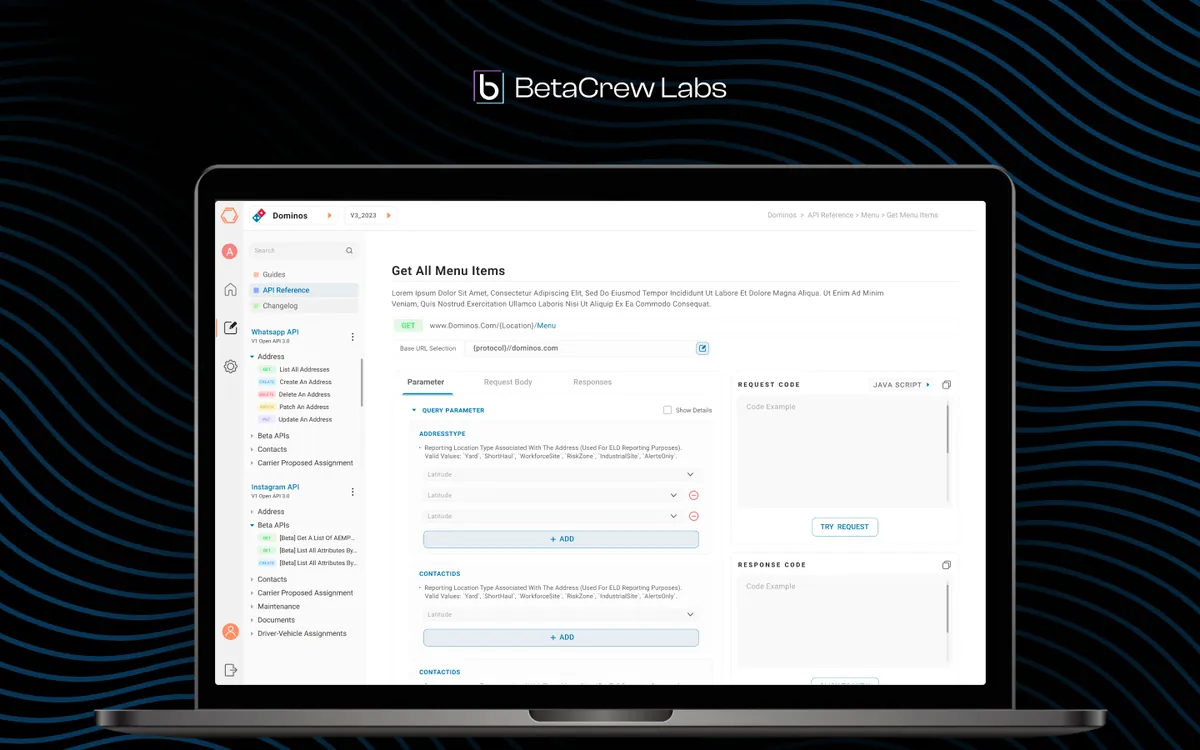
Developer-first API management platform with minimalist interface reducing cognitive load.
Overview
One Platform, Zero Fragmentation
Portle is a developer-first API management platform that unifies API design, testing, documentation, and monitoring into a single clean interface. Built for Betacrew, the platform replaces three disconnected tools that developer teams were juggling — reducing cognitive load while supporting white-label deployment for different enterprise clients. The design prioritizes clarity and speed, with a minimalist aesthetic that lets developers focus on their work rather than fighting the interface.
- Tools
- Figma, Component Library, Theming System
- Category
- Developer Tools
- Services
- Product Design, Developer UX, Design System
Problem statement
How might we give developers one place to design, test, document and monitor their APIs, so documentation stays true and new teammates get productive in days, not weeks?
Empathize
Who we designed for
Portle's users are developers, from juniors learning a team's APIs to senior architects who want speed and density, plus the enterprise admins who brand it as their own.
Senior developers
Want density, keyboard shortcuts and no ceremony between them and the endpoint.
Junior developers
Need progressive disclosure and context to learn a team's APIs safely.
Enterprise admins
Need to brand and configure their own instance without a designer.
Pain points
API work was split across separate tools for design, testing and documentation.
Documentation lived apart from the API, so it was always out of date.
Onboarding meant learning three tools and how they connected.
Every enterprise deployment needed its own look without breaking accessibility.
Problem Statement
The Challenge
Developers managed APIs across multiple disconnected tools — one for design, another for testing, a third for documentation. Documentation was always outdated because it lived separately from the API itself. Onboarding new team members to API workflows took weeks because they had to learn three different tools and their integration points. The platform needed to unify these workflows while remaining flexible enough for white-label enterprise deployment.
Design Process
How We Approached It
- Phase 01
Developer Experience Research
We conducted developer experience research with 30 engineers across 5 companies, mapping their daily tool usage and pain points.
We timed their workflows, documenting every context switch and manual step. The research revealed that developers spent an average of 2 hours per day on API documentation alone — most of which was duplicating information that already existed in their codebase. This became our primary target for automation.
- Phase 02
Unified Information Architecture
We designed a unified information architecture connecting API design, testing, documentation, and monitoring into a single coherent workspace.
The IA follows the natural developer workflow: define endpoints, test them, document them, monitor them. Each view shares context with the others — editing an API definition automatically updates documentation and test templates, eliminating the synchronization problem that plagued multi-tool setups.
- Phase 03
Interactive Prototyping
We built interactive prototypes with real API data, testing with developers of varying experience levels from junior to senior architects.
The prototype phase revealed critical insights about cognitive load — senior developers wanted density and keyboard shortcuts, while junior developers needed progressive disclosure and contextual help. We designed an adaptive interface that serves both through a customizable density setting and intelligent defaults.
- Phase 04
White-label Theming System
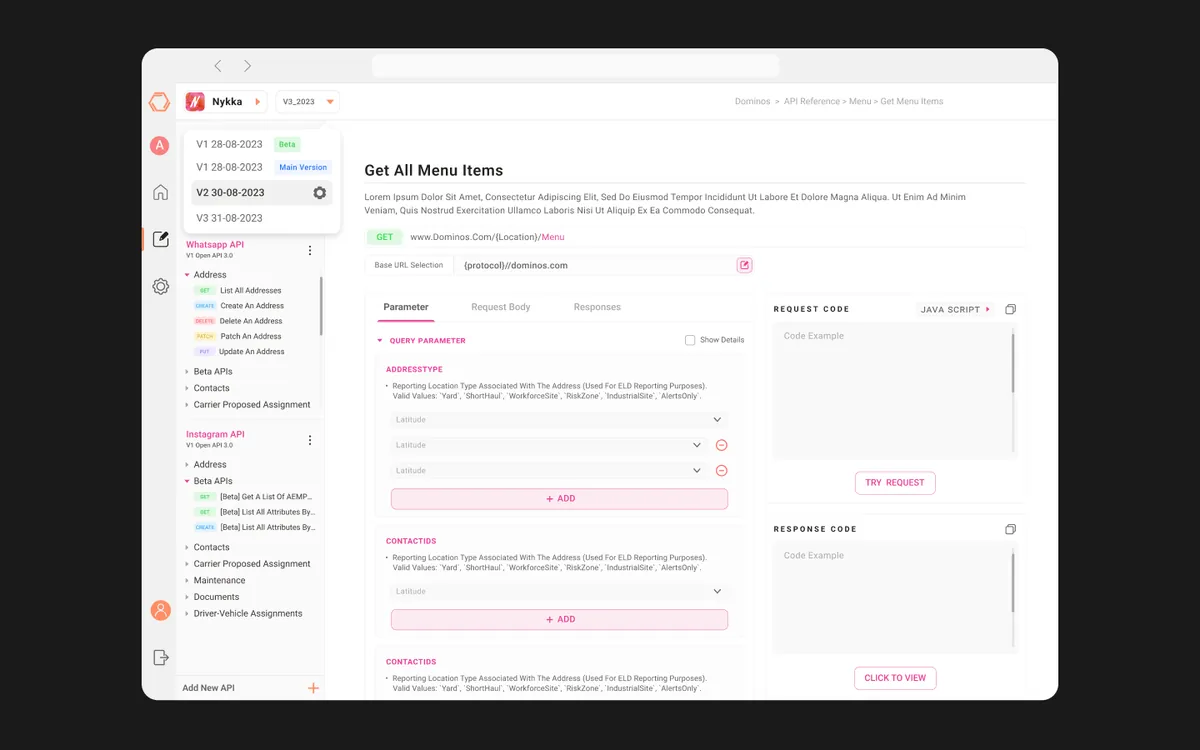
We created a comprehensive theming system supporting white-label deployment for different companies.
The system goes beyond color swaps — it supports custom typography, logo placement, terminology overrides, and feature toggling. Each theme maintains accessibility standards and visual harmony regardless of the brand colors applied. We built a theme editor that non-technical admins can use to configure their instance without design support.
Solution
What We Delivered
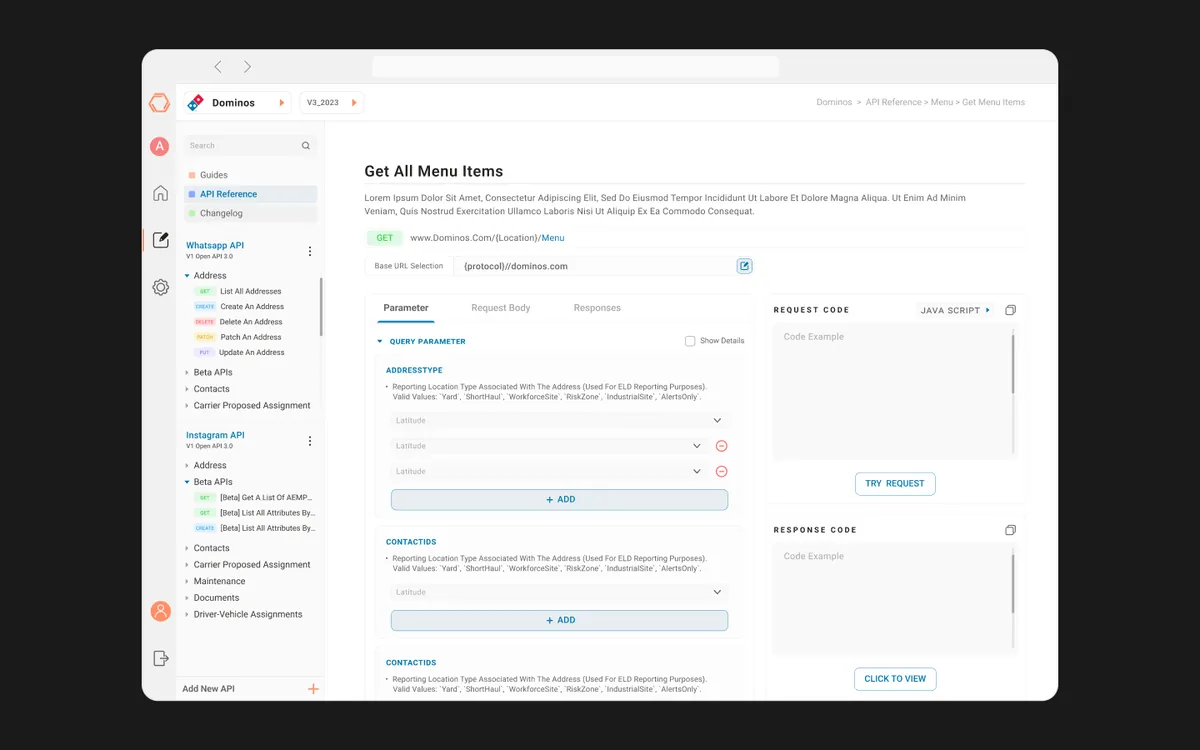
A unified API management platform that replaces three disconnected tools with one clean interface. The design system supports white-label deployment while the auto-generated documentation eliminates the synchronization problem that plagued multi-tool workflows. Developers can design, test, document, and monitor APIs without leaving the platform.
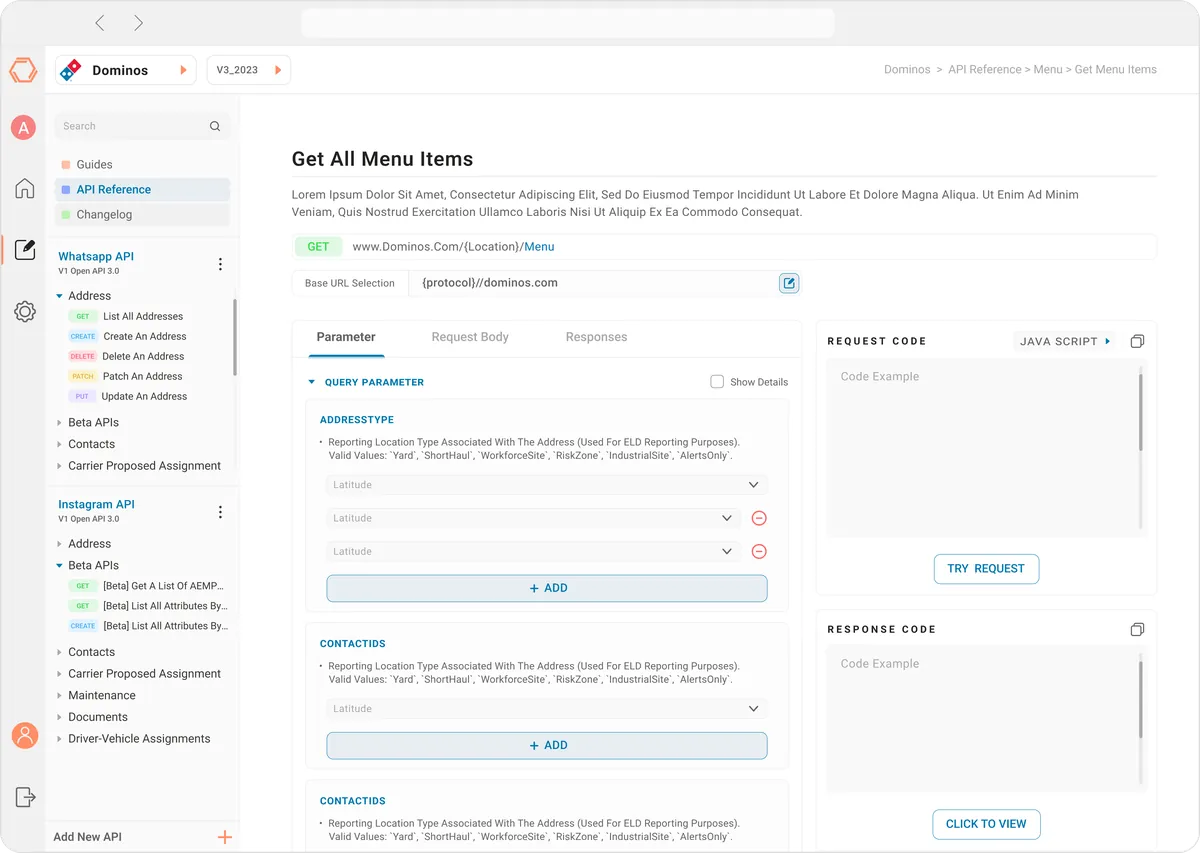
Unified API Workspace
Single interface for API design, testing, documentation, and monitoring.
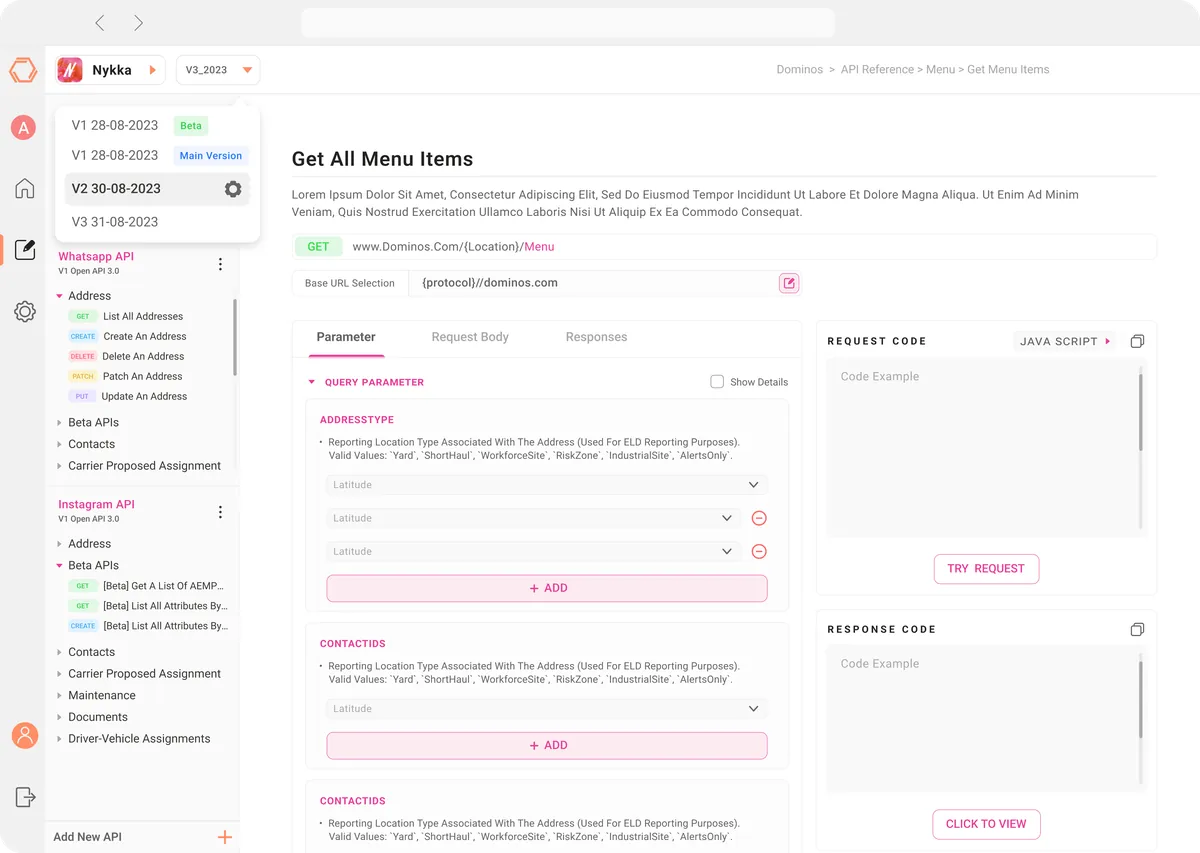
Version Control
Built-in API versioning with diff views and rollback capabilities.
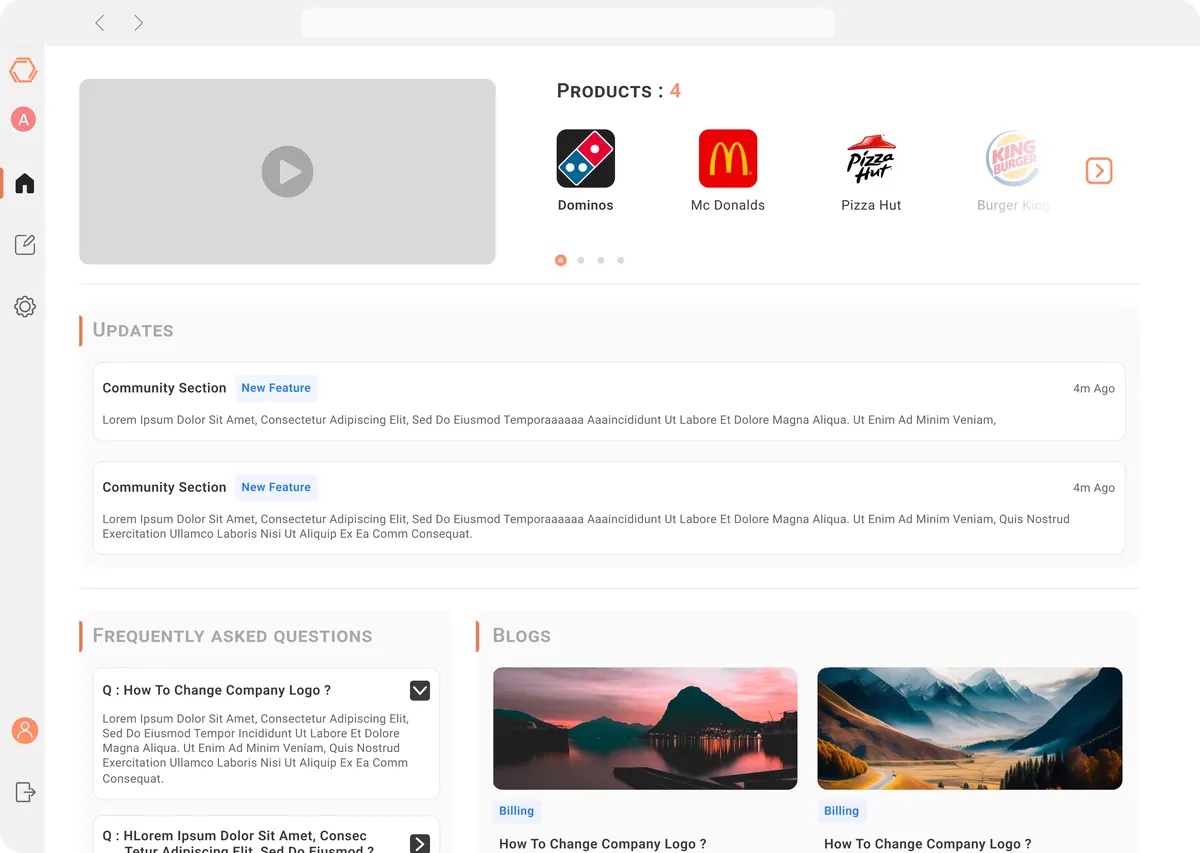
A home for every tenant
Each white-labelled instance opens on its own home: products, updates, FAQs and articles for the developers using it, in the tenant's brand.
What Makes It Stand Out
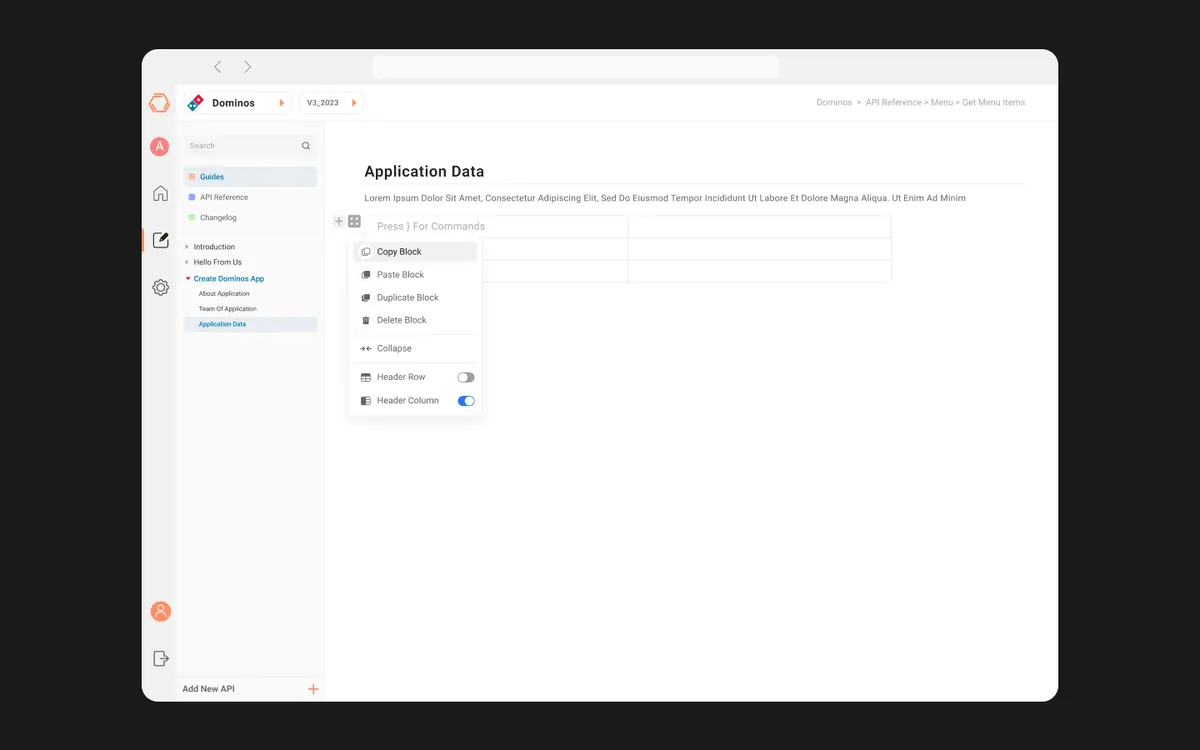
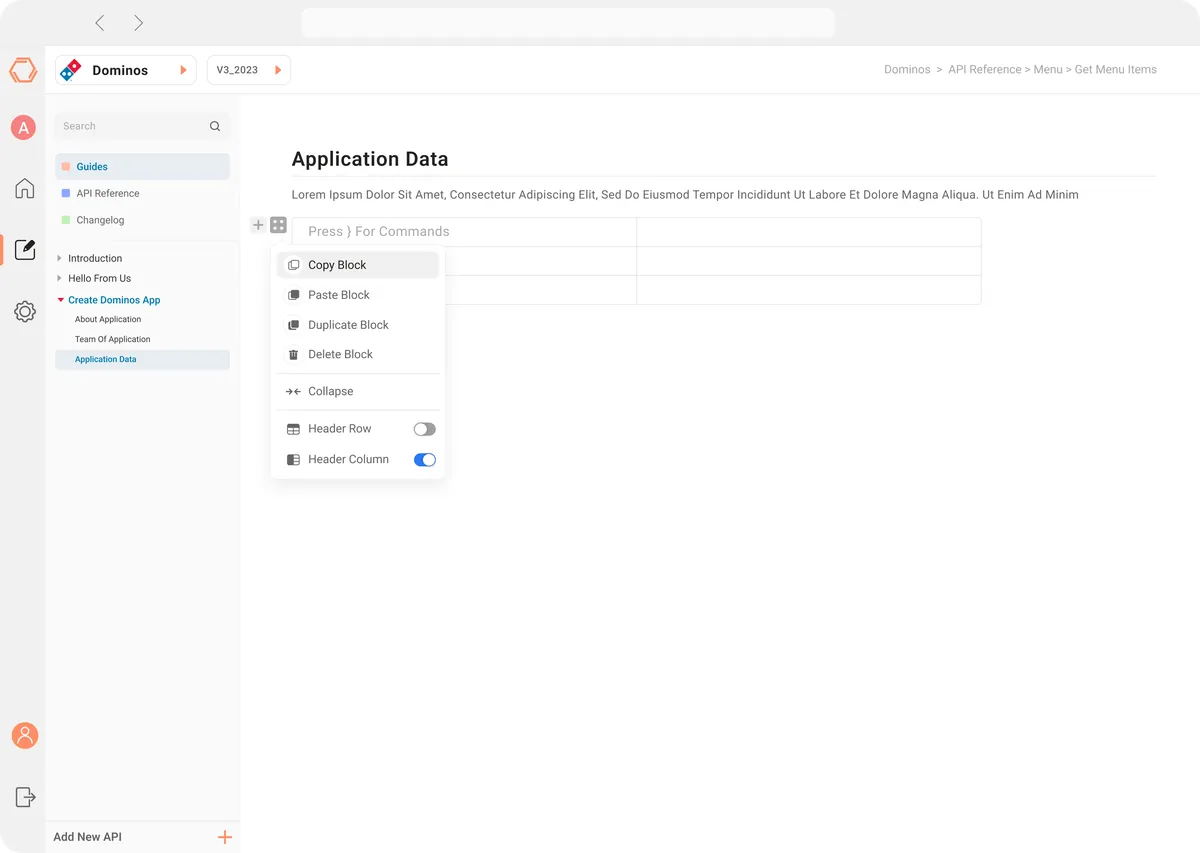
Auto-generated Documentation
Documentation that stays in sync with API definitions automatically.
Interactive API Testing
Built-in sandbox for testing endpoints with real data and response validation.
Team Collaboration
Shared workspaces with role-based access, comments, and change history.
White-label Theming
Comprehensive theming system for enterprise white-label deployment.
Gallery
Screens from Portle
Results
Engagement Scope
- 1
Platform replacing 3 tools
Frequently asked questions
What is Portle?
Developer-first API management platform with minimalist interface reducing cognitive load.
What problem did Portle solve?
Developers managed APIs across multiple disconnected tools — one for design, another for testing, a third for documentation. Documentation was always outdated because it lived separately from the API itself. Onboarding new team members to API workflows took weeks because they had to learn three different tools and their integration points. The platform needed to unify these workflows while remaining flexible enough for white-label enterprise deployment. The question we set out to answer: How might we give developers one place to design, test, document and monitor their APIs, so documentation stays true and new teammates get productive in days, not weeks?
How did Designit approach Portle?
We worked in 4 phases: Developer Experience Research; unified information architecture; interactive prototyping; white-label theming system. We conducted developer experience research with 30 engineers across 5 companies, mapping their daily tool usage and pain points.
What is an API management platform?
A workspace where teams design, test, document and monitor their APIs. Portle brings those steps into one interface so the API definition, its tests and its documentation stay connected.
How do you keep API documentation up to date?
Generate it from the API definition. In Portle, editing an endpoint updates its documentation and test templates, which removes the drift that comes from documenting in a separate tool.
How do you design a developer tool for both juniors and seniors?
Offer density and shortcuts for experts and progressive disclosure for newcomers. Portle uses a density setting and sensible defaults so the same interface serves both.
What does white-label mean for a developer portal?
Each customer gets an instance that looks and reads like their own product: their colours, typography, logo and terminology, with features switched on or off. Portle's theming keeps every theme accessible.
What results did Portle deliver?
Scope of this engagement: 1 platform replacing 3 tools.
How long does a Designit engagement take?
A Design Sprint is delivered in 5 business days. Full product design engagements run 4–12 weeks depending on scope. Monthly retainers are ongoing, with one active request at a time and a 24-hour response time.
Who actually works on the engagement?
Senior practitioners, from kickoff through to developer handoff. There are no account managers in the middle, no junior hand-offs once a contract is signed, and no offshore layer. Clients talk directly to the people producing the work, which is what keeps the feedback loop short enough to ship in days rather than weeks.
What tools does the studio work in?
Figma is the primary canvas, with prototyping in Figma or Protopie and engineering handoff through Figma Dev Mode. Research runs on Maze and Hotjar. Project tracking sits in Notion or Linear, and teams are welcome to work inside their own stack instead.
What are the engagement models and what do they cost?
Three models. A Sprint is a fixed scope delivered in five business days. A monthly retainer covers one active request at a time with a 24-hour response window, priced by the time it needs. A full end-to-end engagement runs four to twelve weeks depending on scope. A tailored quote follows within 24 hours of a discovery call.
Which sectors has the studio shipped work in?
Six: B2B SaaS and enterprise tooling, EdTech and digital learning, Fintech and Web3, luxury real estate and PropTech, e-commerce and retail, and automotive HMI. Shipped work includes Adda247, StudyIQ, Tata Elxsi, Kelp Global, Betacrew, Omniyat and LIV Residences.
What is included when the work is handed over?
Source Figma files transfer to the client, along with documented components and states. Retainers include a 24-hour response commitment and 14 days of post-handoff support for questions that surface once engineering starts building. An NDA is available on request before any material is shared.
Have a similar problem?
Tell us what is not working. We'll tell you where we would start, and whether we're the right partner for it.