
In-car design where a second of attention is the budget
Automotive HMI is one place where an interface decision has a physical safety consequence. We design infotainment and cluster experiences around glance duration and cognitive load, constraints that make most conventional UI thinking actively wrong.
Why automotive HMI breaks normal design rules
Attention is borrowed, not given
Every glance at a screen is attention taken from the road. Guidance converges on roughly two seconds per glance.
The user is physically moving
Vibration, changing light and occupied hands. Targets and contrast that pass on a desk fail on the road.
Hardware is fixed years ahead
Screen, processing budget and control layout are locked long before design starts.
Safety-critical and comfort share a screen
The hierarchy between what a driver must see and might want is a safety decision expressed as layout.
What we design
Digital instrument clusters
Speed, range, warnings and ADAS state designed for peripheral legibility.
Infotainment systems
Navigation, media, climate and settings structured so common tasks fit a safe glance budget.
Glance-load analysis
Task-by-task assessment of glance cost, so distraction is measured during design.
Day, night and adverse conditions
Full state design across lighting and glare.
Multi-modal interaction
Touch, physical controls, steering-wheel input and voice that behave coherently.
Design systems for vehicle ranges
A consistent HMI language across trims and model years.
How an HMI engagement runs
Constraints first
Hardware, regulation, control layout and driving contexts define the design space.
Task and glance modelling
Every driver task mapped against the attention it costs.
Design and simulate
Interfaces evaluated in driving-simulator conditions, because desk evaluation underestimates glance cost.
Handover
Specifications detailed enough for embedded engineering teams.
Selected automotive work
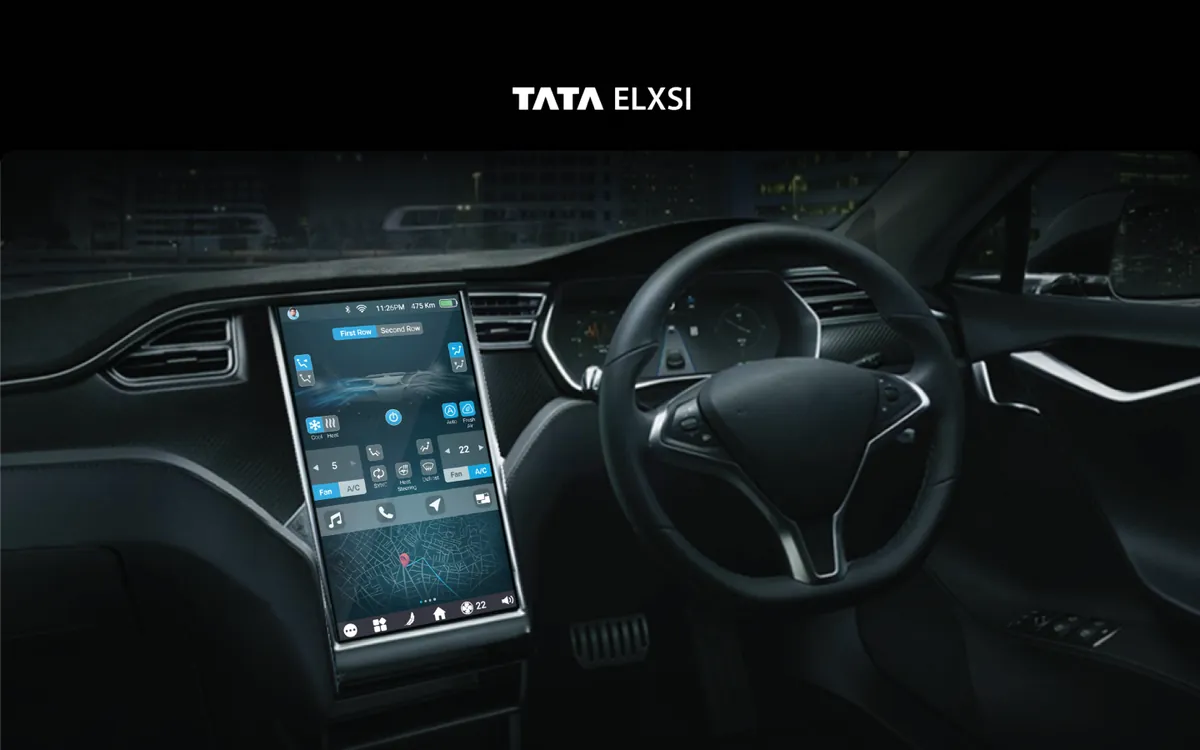
An infotainment interface and a digital instrument cluster, designed within a tier-one supplier's engineering constraints.
Frequently asked questions
How do you design for driver distraction?
By treating glance duration as the primary design budget. Industry guidance converges on roughly two seconds per glance and a limited total per task, so we model each task's glance cost during design: larger type, fewer simultaneous decisions, information positioned for peripheral pickup, and frequent actions on physical controls where possible.
Do you work within existing hardware constraints?
Always. In automotive that is the job: screen size, resolution, processing budget and control layout are fixed, and the design has to work within them.
How long do automotive engagements take?
A single HMI surface typically runs eight to ten weeks. A full cluster plus infotainment programme is a multi-month engagement with validation gates built in.
Designing for the road, not the desk
Tell us about your programme, hardware and timeline. We'll tell you how we would approach the glance and task model.